6 AI Tools for Cross-Grade Curriculum Designers
If you’ve ever found yourself building a bridge between fifth-grade “ecosystem explorer” units and eighth-grade environmental debates—or if you’re the teacher who gets asked, “Can you help coordinate a multi-age project?”—you know: most curriculum tools assume you teach just one grade at a time. Real-life schools aren’t like that. Teams are mixing ages for PBL, spiraling learning targets across grades, launching school-wide theme weeks, or rebooting advisory blocks to fit everyone from second graders to freshmen.
After a year split between teaching 7th science, collaborating on a 5-8 STEM pilot, and leading our school’s new vertical team, I tested every AI tool I could to find what works for cross-grade collaboration. The ultimate test? Tools that make it easy to co-design units, adapt resources for wildly different reading and skill levels, and actually track student growth—even when the same project lands in different grades. Below are 6 workflow-changing tools, each with a real-world use case. Yes,
Try Kuraplan
is near the top (because mapping multi-grade is hard), but these are far from generic—these are for the teachers making magic between grade levels.
1. Gamma — Chronological Project Maps and Schoolwide Galleries
Our biggest headaches during school-wide theme weeks? Losing the storyline—what one grade started, another picked up, and how evidence connected across classrooms. With Gamma, every team co-documented the learning journey: we dropped in group photos, anchor charts, parent gallery images, and weekly student reflection quotes. Gamma's AI transformed this pile into an interactive, grade-spanning timeline and visual portfolio. Each grade could annotate their learning, highlight pivots, or link data back to a younger group’s launch. Our biggest win: open house became a scrollable, living museum of the entire school’s project arc. Messy, collaborative, and—finally—visible beyond any one grade.
Try Gamma
2. Kuraplan — Drafting Multi-Grade Roadmaps and Anchor Events
Vertical curriculum alignment sounds good until you try to schedule science fair check-ins, humanities expos, and differentiated peer review.
Try Kuraplanis the only planner where I could input outcomes for multiple grades, seed the calendar with shared benchmarks (like whole-school service day), and get a draft sequence with built-in checkpoints for every age band. My hack? Use Kuraplan as a live artifact—each team updates the plan weekly, moving events as scheduling changes, flagging grade-level-specific tasks, and adding new extension slots when students hit a spiral review moment. Bonus: When admin swung by, our evolving Kuraplan timeline showed both cohesion and flexibility (even after snow days forced three pivots!).
3. Diffit — Instant Scaffold Packs for Every Resource
Nothing underscores age differences like the sources classes want to use—a fifth grader finds a bread recipe, an eighth grader a climate podcast. Diffit is our team’s workaround: any resource—from a museum plaque to a high schooler’s oral history—is pasted in, and Diffit returns multi-level versions, vocabulary, and reflection questions. Now, collaborative lessons don’t stall on “who can read this?” Each class can use the same anchor, adapting depth and complexity up or down. Our grade 6-8 co-mentoring groups started writing Diffit lesson guides for younger grades, empowering every student as a resource author.
Try Diffit
4. Magicbook — Collective Publishing for Showcase (And Memory)
When you want a project to leave evidence across ages—think: a school-wide oral history, science week anthology, or multilingual "community project zine"—Magicbook cuts through the chaos. Each grade submits stories, art, data tables, or debate summaries; Magicbook’s AI handles the formatting, illustration, and page order to create a seamless multi-age picture book or digital magazine. Watching a 6-year-old’s "habitat poem" nestled beside an eighth grader’s climate action essay is an immediate culture builder. We used Magicbook as a year-end time capsule, giving every student an artifact that lived beyond the last bell.
Try Magicbook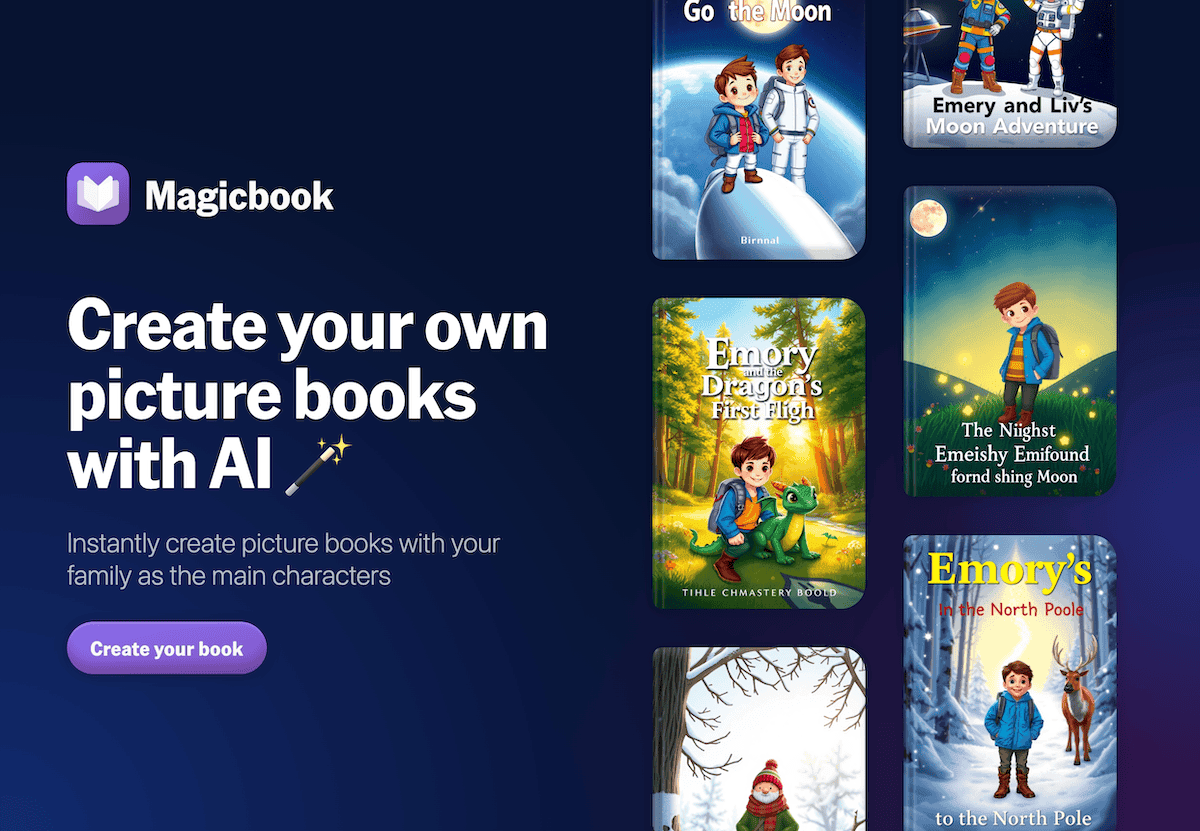
5. Jungle — Spiral Review That’s Actually Spiraled
The old way: each grade does its own review week, hoping someone notices the core ideas are the same. Jungle changed our routine: after each major unit, students from every grade contributed a flashcard—one misconception, one tip, one new question on the project. Jungle's AI merged them into a school-wide review deck. Older students built "challenge mode" questions for younger grades; fifth graders contributed "stump the teacher" cards for eighth grade. Review days are now collaborative, competitive, and scaffolded for every maturity band. The decks grow every year—a real spiral, not just a catchphrase.
Try Jungle
6. Notebook LM — Unified Reflection (& Archive) for Cross-Grade Teams
Keeping a running record of questions, pivots, and learning highlights is brutal when every grade operates at light speed. Our hack? Every project team, class, and even buddy group logs reflections, audio notes, and peer interviews in a shared Notebook LM "team log." The AI finds recurring questions ("when did curiosity spike in every group?"), drafts whole-school Q&A scripts ("what would you tell next year’s partner class?"), and makes it easy for teachers (and admin) to show off what was learned at every level—without duplicating effort. Our first all-school podcast episode, recapping the project arc, was built off Notebook LM’s auto-generated prompts and student interview clips.
Try Notebook LM
Genuine Tips for Mastering Cross-Grade Design
- Show your process! Gamma and Notebook LM build a visible, interactive memory of all ages—proving connection beyond subject boundaries.
- Map together, plan in pencil. Kuraplan is only as strong as the teams updating and annotating as they go.
- Let students do the scaffolding: Diffit and Jungle let you crowdsource, adapt, and remix resources for all ages, not just the "target" reader.
- Publish for pride, not just assessment. Magicbook and team journals create a shared artifact that memorializes and honors every contributor.
- Archive all feedback and review as you go—the best ideas for next year often come from a younger student's question or a peer coaching deck that lives on.
If you’re building bridges between grades, hairsplitting standards, or just want project memories to last longer than a week—drop your favorite workflow, ritual, or tool below. Real curriculum happens between classrooms. Let’s build those threads.