6 AI Tools for Teachers Who Love Hands-On Learning
I’ll admit it: I started teaching for the applause when the baking soda volcano erupts, the chaos of group projects, and watching kids discover something real—sometimes in a mess of glue sticks and pipettes. But every creative, hands-on project comes with a mountain of prep, awkward differentiation hacks, and hours spent wrangling data or sorting student groups.
This year, instead of wasting planning periods on repetitive admin, I went hunting for AI tools that actually make hands-on and project-based teaching easier. My ground rules: nothing should replace noisy group work, messy experiments, or those last-minute creativity detours. Instead, I wanted tools that do the grunt work so students can get their hands (and brains) dirty with learning.
Below are the six unexpected AI tools that made my lab, workshop, and project days smoother, more inclusive, and—dare I say it—more fun. No sponsorship, just the honest truth of what actually saved my sanity this year.
1. Project Outlines, Not Scripted Lessons – Kuraplan
I used to get paralyzed mapping out inquiry projects: phases, check-ins, and “what if half my group finishes early?” With
Try Kuraplan
, I can throw in my big question or theme, pick the subject and grade, and get a project backbone complete with checkpoints, sample formative tasks, and (the kicker!) suggested family communication templates. I treat every plan as a draft—editing as I go—but it keeps me moving and lets me plan authentic project launches and meaningful reflection activities without burning my prep time.
2. Flashcard Games—But Built by Kids – Jungle
Here’s my hack: I had my science classes or maker club groups build their own review flashcards after each activity—what was hard, funny, or a wild surprise?
Try Jungle
turns their content into instant digital (or printable) decks. Suddenly, our after-action reviews became a class challenge rather than a worksheet, and kids loved quizzing each other with their own toughest questions. It’s also great for pre-lab safety checks or prepping for STEM competitions (students love “stumping the coach” with weird trivia).
3. Visualizing Messy Group Data in Minutes – Gamma
Ever built a spaghetti tower and then spent 30 minutes trying to graph heights in Excel?
Try Gamma
lets students drag in their measurements, photos, or process notes and—boom—out comes a clean, visual slideshow or report. I use this for everything: quick group lab recaps, progress checks during long projects, or even student-led poster sessions. The key: it’s fast, so we spend less time formatting and more time analyzing what actually happened.
4. Adapt Anything—From News to DIY Challenges – Diffit
Whether my students are reading a design brief or following a recipe for oobleck, someone always needs a scaffold.
Try Diffit
lets me paste in almost any text or even a video transcript, instantly building leveled versions, comprehension checks, and vocabulary lists. I use it to make sure everyone can follow the build instructions—or to translate club announcements for families. It’s also a miracle for sub plans when I need hands-on directions in three different reading levels, now.
5. Custom Songs for Classroom Rituals – Suno AI
Clean-up songs? Pep rally chants? Content-based jingles? I used to copy YouTube remixes until my 5th graders revolted. Now, with
Try Suno AI
, I type my own lyrics or a topic prompt (“wear safety goggles,” “be kind during group work”), and it spits out a singable, copyright-free track. My students write new verses for extra credit, and my class transitions are (finally!) fun. It’s a silly, high-engagement trick for work time, class openers, or celebrating project milestones.
6. Let Kids Interview Inventors & Scientists – People AI
One of the best ways to kick off a build, experiment, or makerspace project? Invite your class to interview an AI "guest." With
Try People AI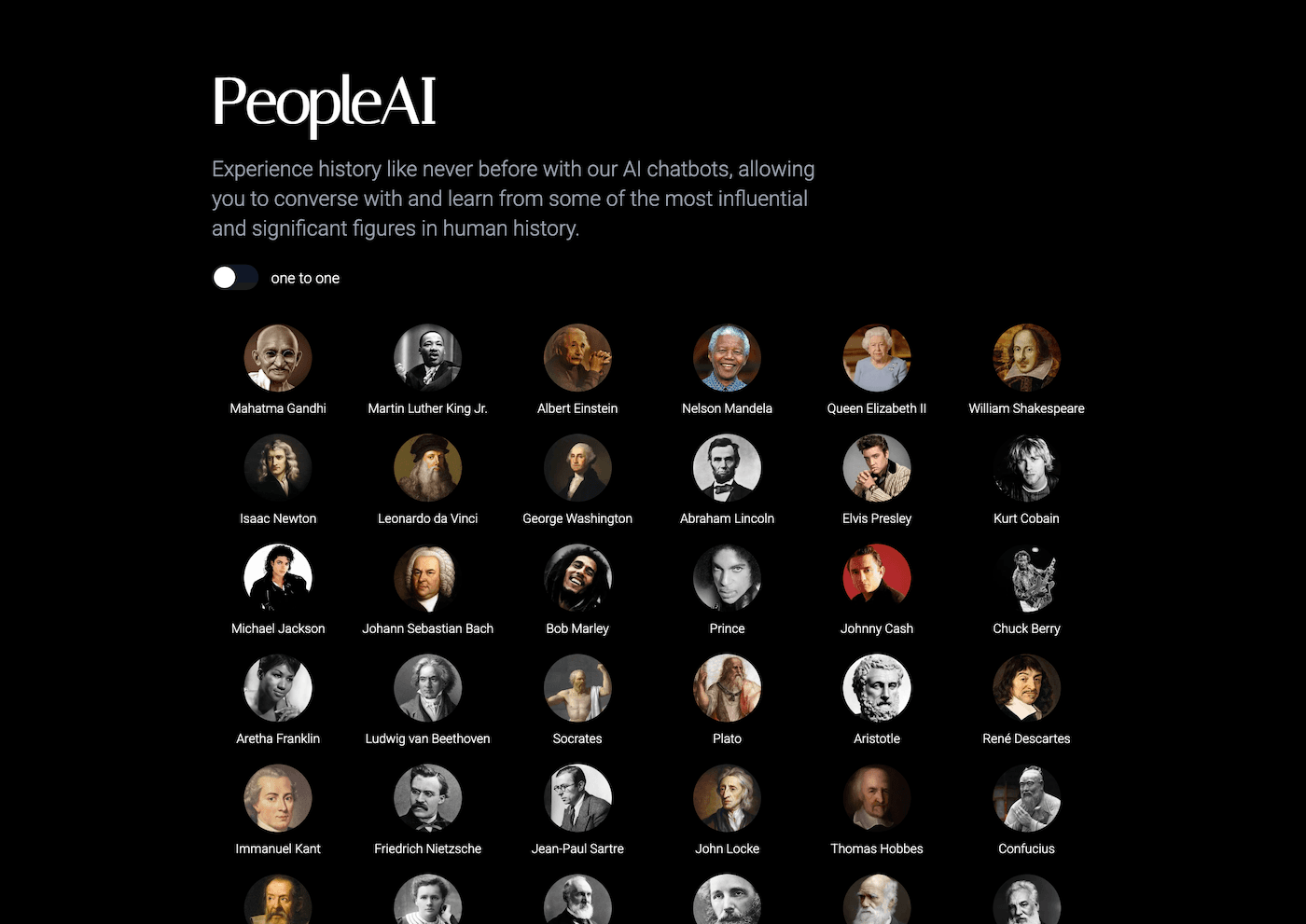
, students prep questions for a famous scientist, engineer, or historical maker, and get a live, in-character chat. We’ve grilled Leonardo da Vinci before STEM fair, interviewed Rachel Carson about ecosystems, and asked fictional inventors for advice during prototyping. It’s a low-pressure way to spark big conversations and help even shy kids “meet” role models in the field.
Final Advice for Hands-On Teachers
- Use AI for prep and scaffolding, not to replace real experiences or discussions.
- Let your students in on the process: have them build, edit, or create with these tools (they’ll surprise you).
- Start with ONE tool for your most annoying admin task (differentiation, scheduling, review games). Tweak until it works with your style—ditch it if it doesn’t.
If you’ve got an AI hack for hands-on learning—or want to swap ideas for project chaos—let’s connect. The best projects are always a bit messy. Now you can save your energy (and maybe your sanity) for the parts of teaching that really matter.