5 AI Tools for Cross-Curricular Innovators
Every year, more teachers are breaking out of their subject silos—designing project days, STEAM weeks, or exploratory classes that blend science, social studies, ELA, and even art. If you’re the kind of educator who loves mixing Shakespeare with STEM or turning the water cycle into a community action project, you know that creativity comes at the cost of immense planning, new resources, and infinite differentiation.
This spring, determined to offload the grind (and spark even wilder student ideas), I tested over a dozen AI tools with my cross-curricular teaching crew. Some were duds. But these five changed my planning and classroom workflow—helping us run richer units, keep every kid engaged, and actually share student work outside the walls. Not a generic “top tools” list—these are for ambitious teachers who insist on making connections across every subject line. (Kuraplan is here, but not stealing the spotlight!)
1. Notebook LM – Weaving the Storylines Together
Hands down, the unsung hero for pulling together multi-subject content. For our "Invent a City of the Future" unit (science, civics, and fiction writing), we tossed student research, primary sources, city plans, and story drafts into Notebook LM. The AI not only surfaced links—like how a new water regulation might impact a character’s plotline—but actually helped students script scripted Q&A podcasts that connected their science data to worldbuilding and history. No more keeping track of a dozen Google Docs across classes. Every student saw their role in the big picture, and collaboration truly happened.
Try Notebook LM
2. Kuraplan – Project Skeletons for the Whole Team
Too many planning meetings have dissolved into chaos: "How do we sequence the field trip prep, the persuasive letter, and the science labs?" This year, we started EVERY joint unit with a Kuraplan draft. You enter your grade bands and learning targets from each discipline, and Kuraplan spits out a week-to-week (or month-to-month) backbone—suggesting integrated checkpoints, essential skills, and even communication templates home. We never used it as-is, but the structure let each teacher focus on creative extensions, not on logistics. Negotiations got easier, and I finally had bandwidth to help the art teacher build a mural component, too.
Try Kuraplan
3. Diffit – Adapting Real-World Content for Every Student
Blending ELA, current events, and science is brilliant in theory—until you realize every article, lab brief, or civic news bulletin is written for wildly different reading levels. With Diffit, our team throws in any resource—from a NASA interview to a Pulitzer-winning op-ed—and gets multiple versions, scaffolding prompts, and discipline-specific vocabulary. It’s how our 5th graders debated climate justice using primary sources, and how our ELLs could suddenly join every step. No more late-night worksheet reboots.
Try Diffit
4. Gamma – Showcasing Multidisciplinary Projects in Style
After weeks of team teaching, the LAST thing we wanted was a disjointed final showcase. Gamma solved it: students and teachers dropped final reflections, data, stories, and art into the app, which auto-created polished, themed slide decks. For our "Rivers & Rights" social science unit, one class built a timeline of local ecology changes overlaid with oral histories and poems; our science/ELA 7th graders made casebook slideshows mixing lab results, advocacy posters, and Op-Ed snippets. Gamma’s flexibility let us celebrate the process, not just the polished end product—everyone saw how their work fit the whole.
Try Gamma
5. People AI – Student-Run Panel Discussions (Across Subjects!)
If cross-curricular teaching is about helping students see the big connections, People AI makes them real. As a culminating project, we let students assemble a live "town hall"—programming interviews with Frederick Douglass (history), Ada Lovelace (tech), and even a climate policy expert (science). The AI ran in character, answering sharp student queries and even improvising on-the-spot contradictions. Suddenly, my skeptical math kids found themselves defending algorithms to a civil rights legend. It was the rare moment when every student’s subject interest mattered in the same room.
Try People AI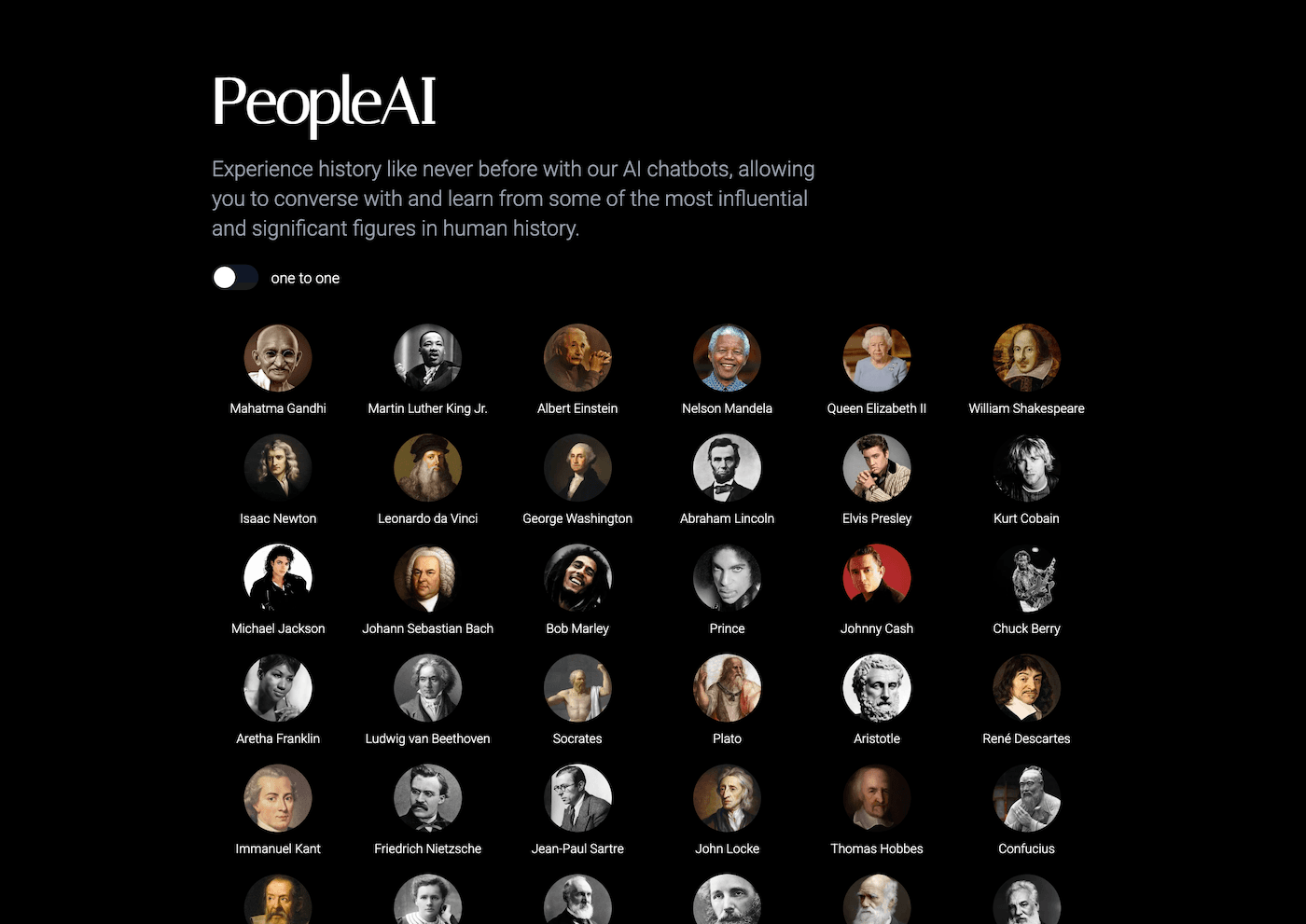
Real Advice for Cross-Curricular Trailblazers
- Plan with structure first, then improvise: Tools like Kuraplan and Gamma helped our team coordinate and publish without killing creativity.
- Let students own connections: Whether mapping sources in Notebook LM or grilling virtual guests in People AI, those moments drive deeper learning than any themed worksheet.
- Start with the workflow bottleneck, not just the "coolest tool": For us, it was the tangle of reading levels—so Diffit was the breakthrough.
- You can’t do it all yourself. Even with AI, the best results came from letting students (and colleagues!) run with new uses, formats, and output ideas. We learned at least as much as our students did!
Curious what these tools could do for your next interdisciplinary unit, elective, or team-taught project? Steal this toolkit—and remember: the best results happen at the intersections.
Want to trade cross-curricular workflow hacks? Drop your favorite combos, success stories, or epic fails below—we’ll remix for next year, together!