6 AI Tools for Teachers Who Flip (Their) Classrooms
I’ve spent the last two years on the frontlines of education’s big shift—trying, failing, and remixing what it means to actually let students learn at their own pace. If you’ve ever:
- Dared to assign “watch it at home, build it in class” lessons,
- Let your students propose how they’ll master content (and, frankly, questioned your own sanity halfway through), or
- Set up a hybrid classroom station only to be derailed by tech nightmares …
You know real flipping isn’t about just posting a video and calling it a day. It’s about curation, creativity, scaffolding in the moment—and, if you’re like me, constant improvisation.
Most AI tools out there target whole-class direct instruction or churn out more worksheets (ugh). Instead, here are six workflow-saving, genuinely field-tested AI tools that have fueled my wildest, most engaging flipped, blended, and student-centered days. I’ll be honest about the hacks—and the potholes. And yes,
Try Kuraplan
is in here, but as a creative backbone, not a script.
1. Fliki – Flipping With Actually Watchable Videos
The death of most “flipped” classes? Boring, unwatchable mini-lectures (sorry, colleagues). Once I started using Fliki to turn my own short notes, step-by-step math explanations, or student script ideas into engaging, AI-voiced video clips, things changed. Here’s the trick: let your class draft scripts (“How did you solve that last problem?” “Summarize today’s debate in 45 seconds!”), then run it through Fliki together—students see themselves as the creators, not just the viewers. Review days became screening festivals, and even my quietest students found a low-stakes way to share—and watch—content their own way.
Try Fliki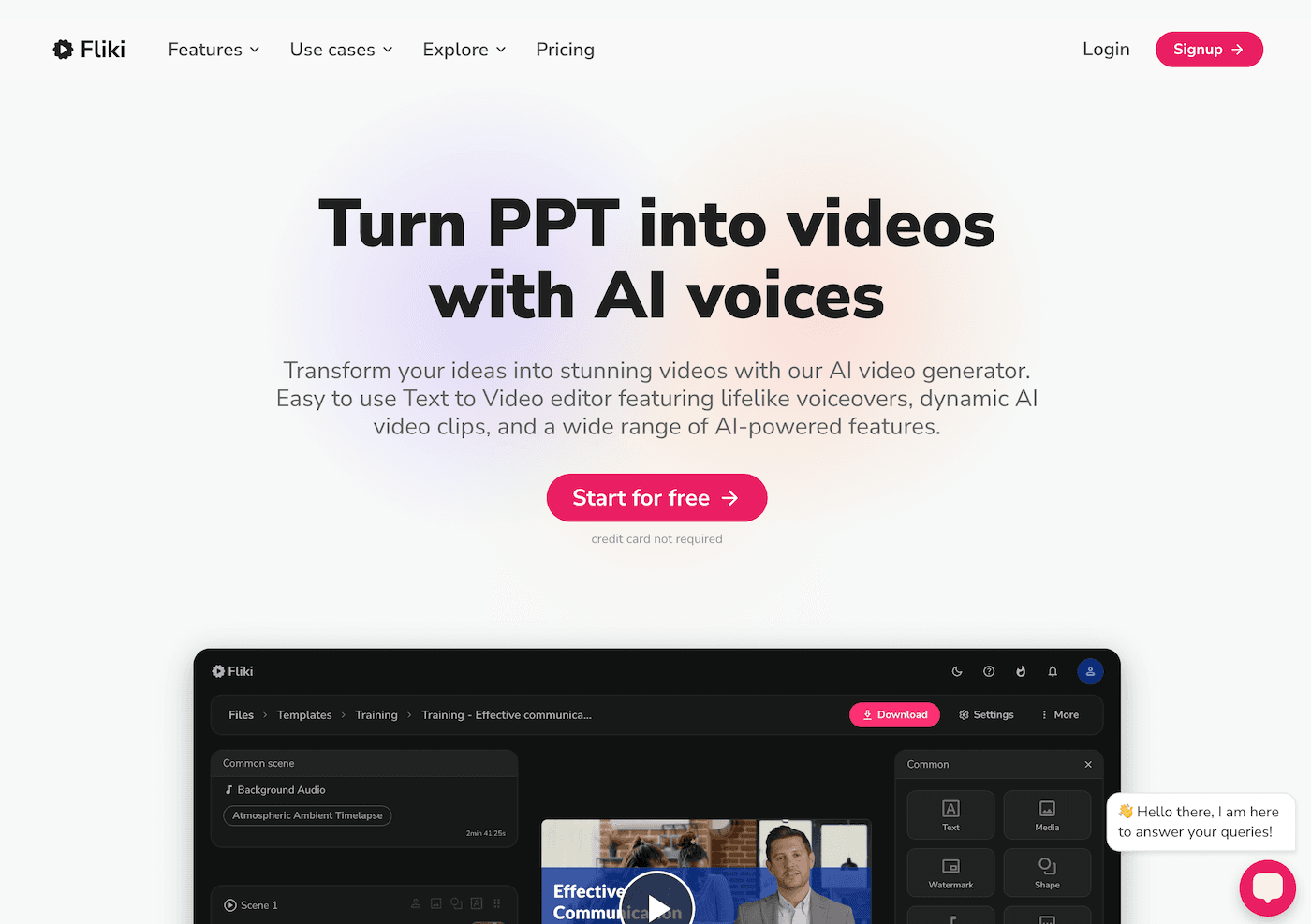
2. Kuraplan – Remixing the Sequence, Not the Calendar
I was scared the first time I flipped a unit: what if students finished at wildly different speeds? Could I handle all the branching? Kuraplan’s value wasn’t a one-size-fits-all plan, but an editable skeleton where I plugged in my core goals, flexible milestones, and optional challenges—then co-edited the timeline with students as we went, moving assignments or adding group projects based on real class progress. The best sessions? When students made a case to switch sequence (“Let’s build before the lecture!” “Can we do a live peer review before the quiz?”). Flipping is messy; Kuraplan lets you make the path visible—without ever boxing in the chaos.
Try Kuraplan3. Diffit – Personalizing Pre-Work Without Meltdown
Flipped teaching means students show up with very different prior knowledge, but prepping three versions of every resource isn’t scalable. The hack? Use Diffit every time someone (me, or a student) wants to prep a pre-read, podcast, or video. Paste it in: Diffit gives you multiple reading levels, vocab, and your own comprehension checks. I started letting my kids pick from “starter,” “challenge,” or “expert” versions for every prep. Suddenly, my lowest readers and my honors kids showed up ready, and the classwide difference shrank—without me making extra packets at 10pm. Movie days? Diffit can even scaffold video transcripts for discussion in class.
Try Diffit
4. Gamma – Showcasing Learning Journeys in Real Time
The cliché with flipped class is that all the focus is on content delivery. I needed a way to make visible what happened on build/project days, not just at assessment time. Enter Gamma: every class, my groups drop project photos, whiteboard brainstorms, and even screenshots of online debates into Gamma; the AI auto-builds a living digital timeline. Now, families, co-teachers, or even next week’s group can scroll through the journey, see everyone’s work, and reflect on the murky “in progress” days. Class presentations are now visual walkthroughs, not just last-day show-and-tell.
Try Gamma
5. Jungle – Student-Generative Check-Ins for In-Class Reinforcement
Every teacher who flips a lesson knows: someone didn’t watch the video, someone missed the concept, and your fancy self-pacing board is a ghost town. The best fix: make the check-ins student-created. Jungle lets every student or group submit the question that tripped them up, the point they think should be re-explained, or an actual challenge to the day’s concept. Jungle builds instantly playable quizzing decks or flashcard challenges you can run live, in stations, or as quick exit games. No more fudge-the-worksheet review; this is formative, in real time, and always surfaces misconceptions before they tank the unit.
Try Jungle
6. Suno AI – Rituals for Transitions, Reset, and Celebration
Flipped classrooms thrive on vibe—if the culture’s flat, students won’t buy in. Suno is my unexpected hero: every major unit, class managers and I cook up Suno tracks—“Prep for project day,” “Post-video brain break anthem,” or “We survived quiz week!” It’s quick: a prompt, a song, and suddenly transitions (or even last-minute resets when a flipped lesson bombs) have their own signature. The best move? Let groups compete to write new prompts, rotate the playlist weekly, and use ritual to mark the weirdest, most daring moments of the year. My class remembers the soundtracks long after they’ve forgotten my lecture.
Try Suno AI
Final Flipping Advice from a Workflow-Weary Teacher
- Let students help design the flip—voices in sequencing, resource curation, review games, and ritual build genuine ownership.
- Use AI to scaffold difference, not just deliver content: Diffit and Jungle let DIY learners and stragglers find their own pace, without a split class.
- Show your work—evidence of progress is real (Gamma, Fliki, Kuraplan roadmaps), even when no two days look alike.
- Forget perfection. Flipping is an experiment every week. The right workflow partners—not AI bosses—give you the freedom, not just to teach, but to create.
If you’re flipping your classroom (or just trying to flip your perspective!), share your best workflow, ritual, or tech hack below. The flipped magic is alive and well in 2025—and with the right stack, even the messiest day can be the best one yet.