6 Smart AI Tools for Creative History Teachers
As a long-time history teacher (world and American, with a foot in humanities electives), I know the pressure: teach centuries in a semester, make every standard visible, and try to convince 14-year-olds that agrarian revolutions actually matter. But if you’re like me—drawn to those lessons where students design exhibits, stage debates, and riff beyond the worksheet—you also know how hard it is to run creative history in a system built for checklists.
This year, I set a goal: stop hunting for AI silver bullets to automate grading, and start finding the surprising tools that actually help history teachers teach human stories, organize resource chaos, and put students at the center of the narrative. Below are 6 tools that I kept coming back to whenever my units started to lose energy—or when I needed help bringing big, unpredictable ideas to life. Yes, Kuraplan appears early (keep reading—there’s a twist on how to use it for project-based history), but every tool on this list solves a very real history-class pain point.
1. Gamma — Turning Student Debates Into Museum Exhibits
Every year, I try to end a major unit with a class "museum night"—students build digital exhibits on topics as varied as the Harlem Renaissance, suffrage movements, or propaganda in wartime. The real problem? Wrangling research blurbs, images, maps, and timeline drafts from 30+ students into something that looks cohesive... and presentable. This year, Gamma changed my workflow. Groups dumped their argument paragraphs, artifact photos, and primary source snippets into Gamma; the AI auto-assembled professional-looking exhibits on demand. Students controlled the storyline order, I monitored for accuracy and bias, and every group left with artifacts we could actually share online or at parent night. No more ten-tab Google Slides drama. If you want to turn messy, creative debates into visible, proud outcomes—start here.
Try Gamma
2. Kuraplan — Project Skeletons, Not Unit Scripts
History pacing guides are always too rigid for real inquiry—so instead, I started using Kuraplan to prototype any major history project where student research or voices take the lead. I’d sketch our key question (“Revolutions: Who actually benefits?”), drop a few desired products (“editorials, interviews, mock trials”), and let Kuraplan generate an outline of phases, checkpoints, and feedback days. The secret: I projected the Kuraplan draft so my students could rip it apart and rebuild as we went—shuffling events, inserting primary source scavenger hunts, voting on debate days. Kuraplan moves the project forward without hemming you in—and gets the buy-in of skeptical admin who want to see the plan upfront. Don’t use it as a script; use it as a living framework for big, unpredictable units.
Try Kuraplan
3. People AI — Unscripted Interviews With the Past
Mock trials and living history days are the heart of my class, but not every teacher (or student pair) can improvise as Frederick Douglass or Empress Cixi on the spot. Here’s my workflow: students write their own 4-6 "unanswerable" historical questions for the week’s theme, then log into People AI to interrogate the figure live. The AI adapts to pushback, shifts personas, and occasionally corrects misconceptions on the fly (with bias, when relevant!). The result: creative, unscripted debates where students have to listen for nuance, fact-check, and engage as genuine historians, not just lecture. We even staged a "Plague Doctor vs. 2025 Epidemiologist" town hall—the AI improv brought the room to life. Try this for Socratic seminars, revision debates, or oral history performance days.
Try People AI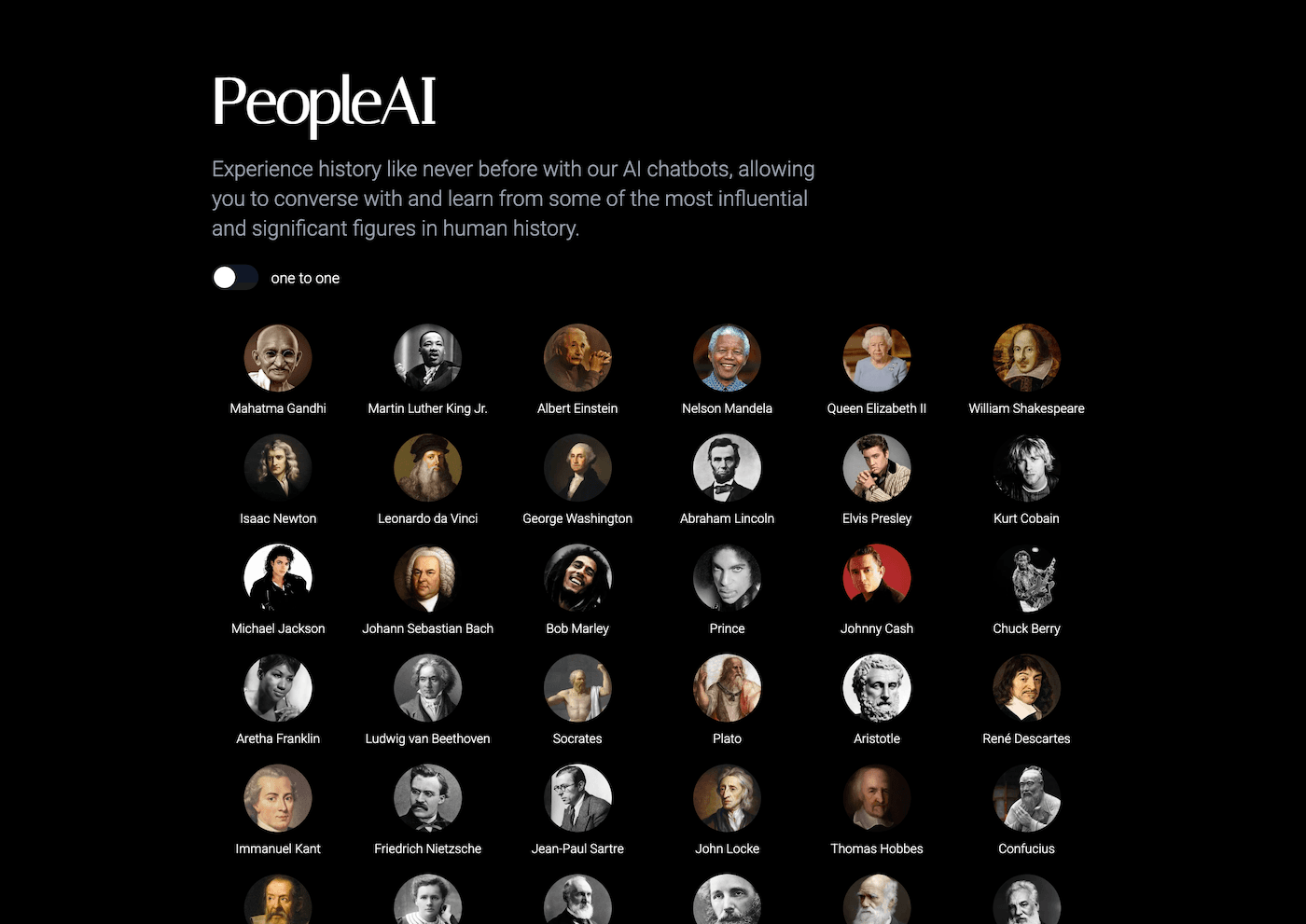
4. Diffit — Primary Source Packs Without the Stress
Primary sources are the dream until your third student asks "Can I get this in English?" or "This speech makes no sense." With Diffit, I finally leveled the playing field: I paste any document—Founding-era letter, United Nations proclamation, student-written petition—into the AI, and it spits out three reading-level versions, vocabulary supports, and customizable comprehension checks. The best part is letting students compare the different versions for subtle shifts in meaning; my ELLs and APs all get a seat at the table, and differentiation happens with the primary text, not instead of it. Also amazing for last-minute current events, podcast transcripts, or integrating student voice into evidence day.
Try Diffit
5. Notebook LM — Real Historical Podcasts From Classroom Chaos
My class is sticky-note central. Until Notebook LM, those brainstorms usually died on the whiteboard. Now, I assign every project group to pour their research docs, Q&As, class debates, and even failed arguments into a shared Notebook LM notebook. The AI surfaces big picture connections and writes podcast or panel scripts out of our random stack—students record (in small groups or live), and we create Chrome-cast "history shows" featuring real classroom voices. The kicker: it’s a legit way to show process, revision, and messy learning—way better than a polished essay stack. Our “Scandals in the Progressive Era” panel this year was so wild we used it as an opener for the next project.
Try Notebook LM
6. Suno AI — History Anthems, Protest Songs, and Rituals
Some teachers have a playlist. My history class has anthems. After lesson launches or unit reflections (“Would you join this revolution?”), my students co-write lyrics inspired by primary sources, arguments, or post-debate feelings, and Suno AI generates a unique historical track or protest song. We’ve built jazz anthems for Harlem, punk ballads for the Black Death, and even a "Letters Home" theme for our WWII unit. Sometimes they’re serious, sometimes hilarious—but every student (even shy ones) has a chance to shape classroom culture. I use these tracks for morning entry, review days, or as artifacts for end-of-row showcases. If you want to make history musical, communal, and student-owned, Suno is the secret ingredient.
Try Suno AI
Final Word: Creative History Deserves Bold Tools
If you teach history for meaning, not memorization, these AI tools won’t steal your messy, human classroom—if anything, they help you organize it, amplify student voice, and create evidence for parents or admin that learning is alive outside the textbook. My advice?
- Start with the pain point you most resent: organizing group products, differentiating sources, documenting debates, or making learning public.
- Invite students to critique, remix, and sometimes break the AI-generated outputs—every workflow here is more powerful when they lead, not just consume.
- Don’t treat tech like magic; treat it as part of your toolkit to make real history visible, not just testable.
Have you built a creative workflow for wild, student-driven history with AI? Or survived your messiest historical project yet? Drop a comment below. The best history teaching is always a bit unpredictable—our tools should embrace that, not paper it over.