AI Tools for Tired Homeroom Teachers
If you’re a homeroom teacher—especially in elementary or middle school—you know what it means to wear every hat: teacher, nurse, party planner, tech coach, hallway monitor… and that’s before the real work of building a class community each day. You don’t have a department behind you, you juggle every subject across ability levels, and prepping for the unpredictable (from fire drills to Friday assemblies) leaves you exhausted.
I’ve tried dozens of edtech fads, but this year I put AI tools through their paces specifically for homeroom: not just subject lessons, but everything from morning meeting slides and differentiation, to making student voice matter on a daily basis. Here are the tools I kept coming back to—and exactly how I use them to stay (mostly) sane when a new crisis hits before lunch.
1. Not-So-Boring Morning Meetings (People AI)
Routine matters, but morning meeting slides get old quickly. This spring, I started letting my 4th graders “invite” an AI historical guest using People AI. Mondays: “Let’s see what Ada Lovelace thinks of coding!” Fridays: “What’s Shakespeare’s advice for weekend fun?” Students submit questions the afternoon before, and I run a quick chat at the start of the day. It builds curiosity, models respectful inquiry, and—bonus—my class arrives on time because they don’t want to miss who the guest is.
Try People AI
2. Allocating My Brain Cells: Kuraplan for Whole-Day Outlines
Homeroom means you can’t always plan far ahead. Kuraplan helped me sketch out whole-day flows: I drop in weekly themes (“Plants & Change,” “Friendship & Fairness”), flag special events (“Early Release Wednesday,” “Math Quiz Friday”), and let it build out daily outlines I can rework on the fly. The key: it proposes transitions (“read-aloud after recess,” “movement break before math”), and scaffolds across subjects when afternoons go off script. Even my most chaotic weeks get a basic backbone—so I’m not reinventing the flow every night.
Try Kuraplan
3. Student Voice—In Every Subject—With Jungle
You know those moments when you want students to show what they know, but half the class can’t verbalize their understanding (and you’re out of sticky notes)? Jungle lets my students (or me) create digital flashcards and quiz decks tied to our unit—but I let students generate review games as an exit ticket. “Make three cards for what you want next week’s spelling tests to be about!” Students use each other’s decks, and it’s instant low-stakes assessment and celebration. Best of all, I get a window into what’s sticking (or not).
Try Jungle
4. Calming Transitions With Suno AI
We all know mornings can turn wild (and afternoons even more so). With Suno AI, I type in a prompt (“deep breaths before math,” “assembly day nerves”) and get a short, original song or relaxing soundscape. My kids write new verses, sing along, or simply listen as a cue for transitions between stations or when regrouping after lunch. The novelty factor keeps participation high—and I never repeat the same “clean-up” song two days in a row again.
Try Suno AI
5. Differentiated Materials On The Fly (Diffit)
Last week, our science lesson took an unexpected turn when a student brought in a news clipping about a local animal rescue. I uploaded the article to Diffit and—within minutes—had three reading versions, custom vocab, and comprehension questions. I’ve used this trick for social studies, read-aloud followups, or adapting announcements for non-native speakers. If your class is as diverse as mine, this is a life-saver.
Try Diffit
6. Visual Schedules and Announcements With Gamma
Posting the daily schedule is non-negotiable in my class for anxious kids, but making it visually rich (and updating for field trips!) is a pain. Gamma lets me build a drag-and-drop slideshow with icons, center rotations, reminders, and celebration shoutouts in minutes. Kids sometimes help design Friday “fun slide” themes. The class can always see what’s next, and I don’t need to become a graphic designer.
Try Gamma
7. Class Project Publishing With Magicbook
I love collaborative writing projects, but displaying student work takes forever. Now, I use Magicbook for “class journals,” poetry anthologies, and even illustrated thank-you books for helpers or field trip guests. We turn partner stories or science findings into picture books (physical or digital) and share them with parents at conferences. Even reluctant writers are proud authors—and my classroom library is filled with work that’s actually by us.
Try Magicbook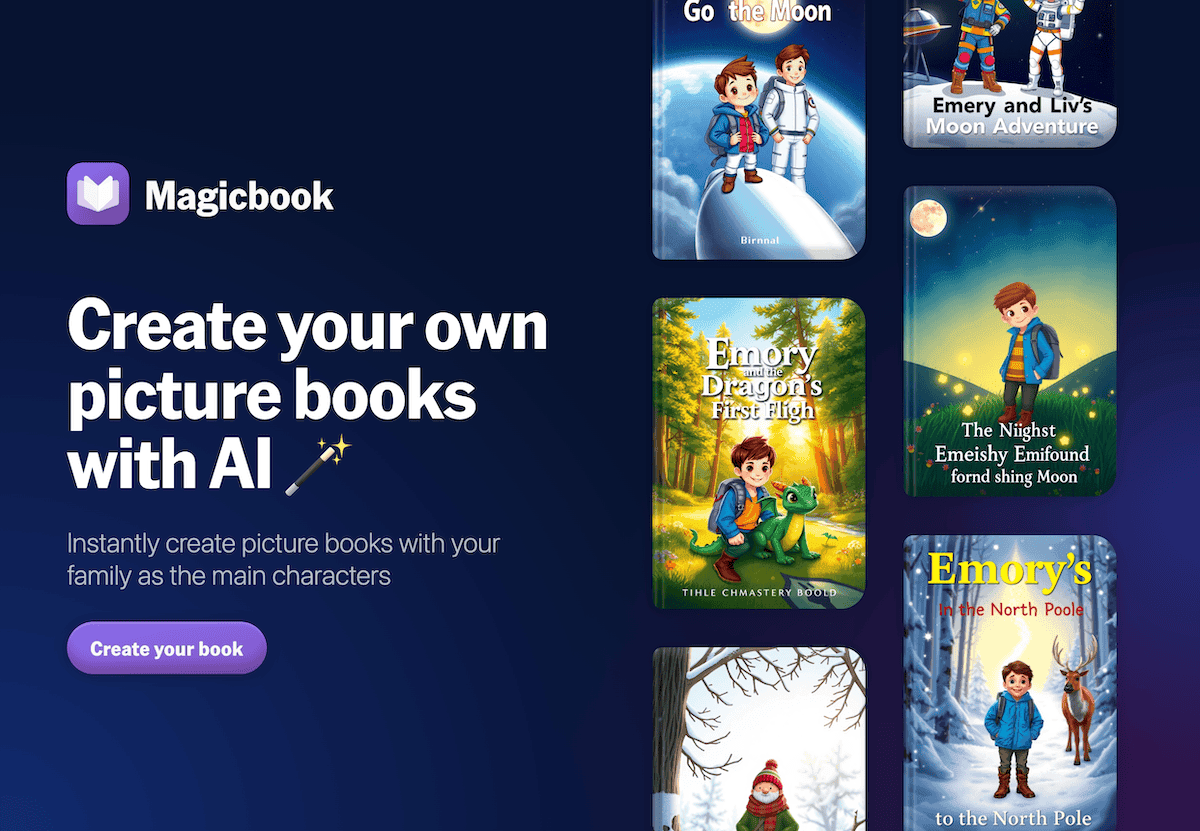
Honest Advice for Other Homeroom Teachers
The perfect AI tool doesn’t exist—but a few good ones give you your energy (and creative joy) back. My top tips:
- Pick one repetitive task you dread—like morning messages or differentiating reading—and automate it just a bit.
- Let students get creative with the tools (songwriting, decks, or slides). They’ll find uses you never imagined.
- Don’t believe the hype. If a tool adds time or stress, set it aside and trust your gut.
Homeroom itself will never be easy. But AI can help you spend less time reinventing wheels—and more time listening to silly stories, celebrating small wins, or just enjoying your students as the unique people they are. What new tools are saving your sanity? I’d love to hear what works for your classroom—let’s keep growing together.