7 AI Tools for Teachers Who Plan on the Fly
Raise your hand if you’ve ever abandoned your lesson plan at 8:07 a.m., improvised a group activity with five minutes’ notice, or rewritten the day’s agenda because a single student question changed everything. As a veteran “plan-as-you-go” teacher, I’ve spent years searching for tools that help me turn those sudden pivots and real-life curveballs into actual learning—not just chaos or another worksheet packet.
This year, after testing dozens of new AI apps, I found a set of helpers that don’t require an airtight curriculum map—they thrive on unpredictability, creative detours, and rethinking on the run. None will deliver canned, perfect units. And that’s exactly why they work. Below are seven AI tools that consistently helped me improvise better lessons, differentiate on demand, and turn teacher stress into classroom magic—while keeping my students (and my admin) from thinking I was just winging it every time.
1. Notebook LM – Turning Messy Notes into Meaningful Lessons
I live for student-driven brainstorms and spontaneous research days. Problem? My collection of sticky notes, web links, and Google Doc fragments tends to vanish the minute I need a new lesson. That changed with Notebook LM. I dump every class-generated question, exit ticket, or accidental brainstorm into the app—then let the AI surface connections, summarize themes, and even sequence them as a class podcast script or group discussion starter. Suddenly, scattered ideas become structured reflection or ready-to-go review activities, no matter how unexpected the lesson shift.
Try Notebook LM
2. Gamma – Creative Slideshows When You Need Them NOW
Who has time to build a beautiful slide deck for every bump in the lesson plan? Now, when a class project spins out into a new direction, I drop students’ brainstorms, images, or research blurbs into Gamma. The AI turns whatever I have—messy or polished—into a clean, student-ready slideshow or digital poster, almost instantly. It’s now my go-to for exit tickets that surprise me (“Let’s share the wildest hypothesis from today!”), last-minute advisory assemblies, or saving sub days from death-by-worksheet.
Try Gamma
3. Kuraplan – Fast Forward to a New Unit Map
Sometimes chaos lasts more than one class: you end up needing to redesign tomorrow’s goals (or even the week’s). Kuraplan isn’t my daily script—it’s my reset button. I use it to spin up a fast, standards-aligned skeleton for a newly requested project, an unexpected admin initiative, or when three snow days throw everything off. Input your topic, rough learning goal, and obstacles (“lost two days to field trip”), and Kuraplan hands you a customizable outline, checkpoints, and optional activities to riff on—freeing me to focus on why the improv happened, not just what went wrong.
Try Kuraplan
4. Diffit – Differentiation at the Drop of a Hat
Nothing stings like realizing your student-chosen article or YouTube video is too tough (or too easy) for half your class. I use Diffit to paste any reading, transcript, or even a student’s summary, and instantly create differentiated versions, vocabulary, and comprehension questions. The kicker: I’ve used it mid-period on my phone when a group says, “Can we learn about this instead?” Everyone gets material at their level, and I save the scramble for another day.
Try Diffit
5. Jungle – Student-Generated Review Without the Fuss
On days when I toss the quiz or formative check and need a replacement now, I hand the class Jungle. I tell students: “Write one question about what you’re still wondering, or the most confusing vocab.” The tool instantly shuffles their input into flashcard games or self-check quizzes—student-driven, relevant, and respectful of real-time needs. Bonus: I get instant feedback on what stuck and what didn’t, without ever pulling out more index cards.
Try Jungle
6. People AI – Guest Experts for Last-Minute Discussions
My wildest class moments come when students ask, “What would _____ say about this?” With People AI, I let small groups summon a historical figure, author, or famous scientist to answer their on-the-spot questions, run debates, or improvise classroom interviews—no guest speaker bookings required. The AI adapts to each group’s energy and pushes kids to listen harder, ask sharper follow-ups, and reflect more deeply because they feel the pressure of a real conversation. It’s my favorite backup for “the lesson just ran out of steam” moments.
Try People AI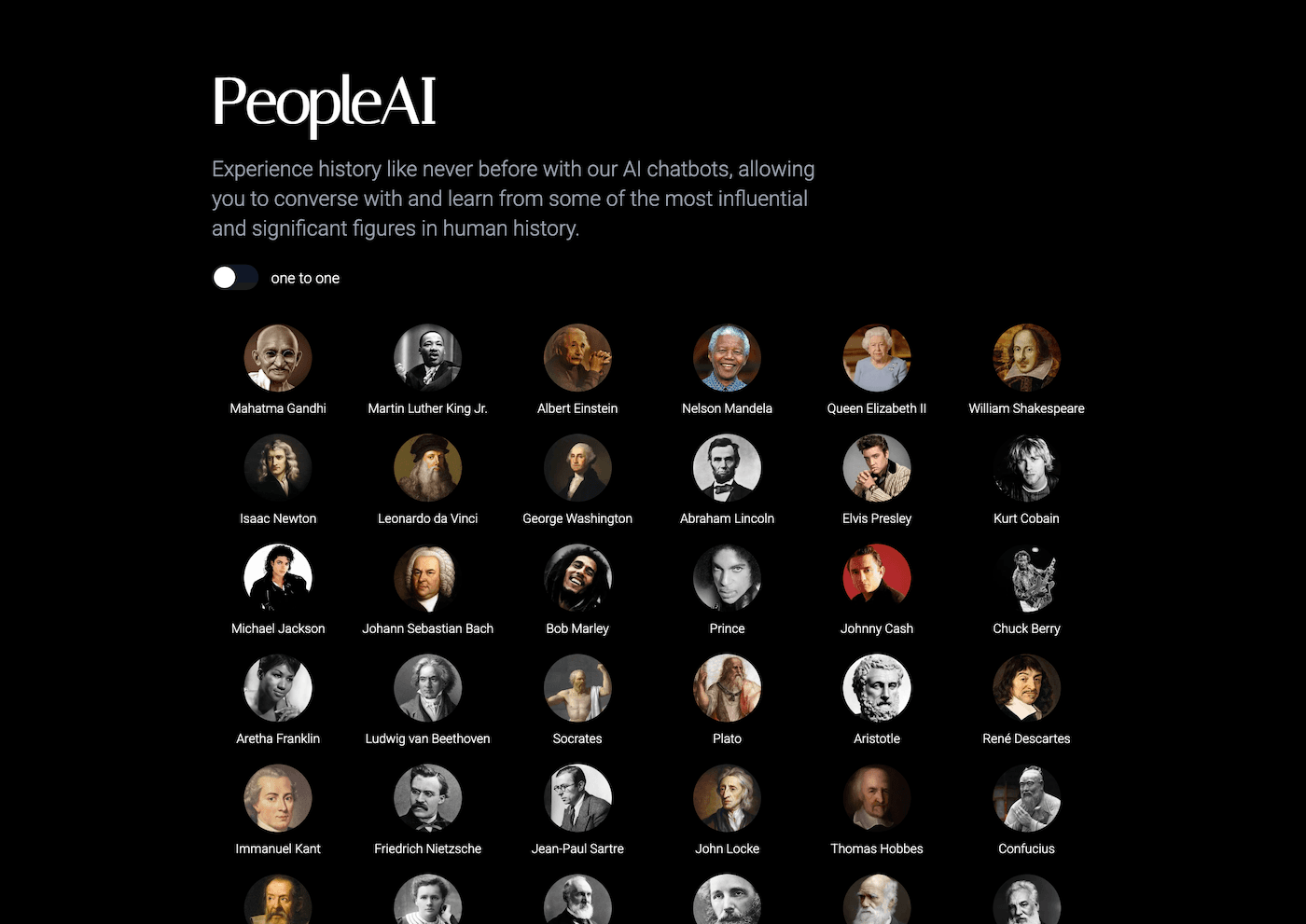
7. Suno AI – Class Rituals & Transitions That Reset the Room
Getting students back on track after a failed lab, surprise assembly, or field trip meltdown is tough—especially when I’m the one who needs the reset. I let my students invent transition prompts—“brain break after a tough quiz,” “set the mood for a new unit,” or “let’s celebrate surviving that disaster!”—then Suno spins up an original track the whole class can use. It takes 60 seconds, gives us a shared ritual, and has turned even the messiest pivots into community-building moments (without any extra prep on my end).
Try Suno AI
Real-World Advice for Teachers Who Embrace the Improv
- Don’t chase perfect plans. Use AI tools to capture opportunities, highlight student agency, and build something from the detours—not in spite of them.
- Invite student input everywhere possible: the best learning pivots come when kids co-author the recovery plan.
- Focus your energy on what you can’t automate (connection, humor, modeling reflection)—then let these tools handle the rest.
If you’re a teacher who thrives (or survives!) on quick thinking, classroom remixing, and truly responsive lessons, try one of these tools for your next “off the rails” moment. And you’re not alone—share your favorite improv workflows or unexpected saved-by-AI stories below. We need more lifelines for the real teachers, doing real, unpredictable work every day.