6 AI Tools for Reluctant Curriculum Designers
I’ll be honest: I never set out to be a curriculum designer—I became a teacher to connect with kids, riff on real-world topics, and build the kind of projects I always wanted as a student. But in today’s classrooms, everyone is a part-time curriculum writer. Whether you teach art, STEM, or social studies, you’ve felt the pressure to map out units, differentiate activities, and build in assessments that "show progress"—all while keeping up with the standards and, you know, actually teaching.
If your idea of planning leans more toward sticky notes and spontaneous lessons than bulletproof pacing guides, this post is for you. I spent last year testing AI tools that help teachers like me build (or adapt!) curriculum without selling your soul to templates or spending every Sunday glued to your desk. Here are my six go-to picks for creative, semi-chaotic, and (dare I say?) fun curriculum design—each with a practical workflow and a few honest warnings for non-planners. Yes, Kuraplan is here (and earns its place at #2!), but plenty of other tools are changing the way I build classrooms from the ground up.
1. Gamma – Visual Blueprints for Brainstormers
Whenever my admin said “just draft the curriculum map,” my mind went blank (or worse, panic-scrolled through Excel). Gamma finally made prepping visible: I sketch a theme on the board ("Design Your Own Utopian Community" or "The Science of Sports"), let small groups dump brainstorm images, links, or stickies into Gamma, and the AI instantly builds a live, visual outline of projects, milestones, and presentation flow. What used to be a swirl of chaos now becomes a click-and-drag board students help shape—great for onboarding colleagues OR giving classes a say in what matters. Sharing a Gamma project timeline at department meetings is my new shortcut for showing progress (and winning over skeptics).
Try Gamma
2. Kuraplan – Guardrails, Not Handcuffs, for Creative Planners
Yes, I was very skeptical—AI-generated unit plans felt like a threat to everything organic and real in my classroom. But here’s how I now use Kuraplan: I input my messy idea (“Podcast on Food Systems”), 3-5 key standards, and a list of the kinds of project outcomes I hope kids will make ("run an interview panel," "create an infographic"). Kuraplan offers a draft sequence with adaptable checkpoints, built-in feedback days, and family comms templates... but here’s the twist—I revise everything, usually in real time with students. The backbone keeps me from spinning off the rails; the editable details keep our units alive (and me out of Sunday night planning doom). For fellow curriculum procrastinators: it’s the AI tool that lets you start messy and finish strong, not the other way around.
Try Kuraplan
3. Diffit – Leveling Authentic Resources on Demand
You can’t design a flexible curriculum without bringing in wild, real-world sources—especially if students are choosing their own reading, research, or project leads. Diffit lets me copy-paste any article, podcast transcript, or even a YouTube explainer into the app, and instantly get multi-level versions (plus vocab and comprehension questions) for every learner. When I built a "Local News Literacy" unit this spring, Diffit let me swap stories every week—no more hunting for leveled packets that match my kids’ needs. The side benefit? Students now pick sources they care about, and I spend more time coaching than adapting.
Try Diffit
4. Jungle – Crowdsourcing Reflection and Review
Every curriculum pilot survives (or dies) based on feedback, and in my classroom, reflection is group sport. With Jungle, I build student feedback cycles into every project milestone: kids author flashcard-style “what stumped me?” or “best surprise yet!” questions after each checkpoint, and Jungle creates living decks for review or peer coaching. The kicker: we use the decks as mini self-assessment rituals (and sometimes to help me spot content gaps before the final push). For larger teams or co-taught units, Jungle decks become evidence for real curriculum adjustment—no exit ticket spreadsheet nightmares needed.
Try Jungle
5. Magicbook – Publishing as Curriculum (Not Just Delivery)
One thing that changed my entire curriculum design mindset? Treating the publishable artifact as the goal, not just a cherry on top. With Magicbook, project teams create and combine classwork, stories, or even field research into real digital picture books (or zines, manuals, anthologies, you name it). During my Our Neighborhood Histories unit, students built collaborative Magicbooks as public-facing final products—parents, fellow classes, and even our local library staff engaged with our history, and suddenly my curriculum was adaptable, shareable, and inevitable fun.
Try Magicbook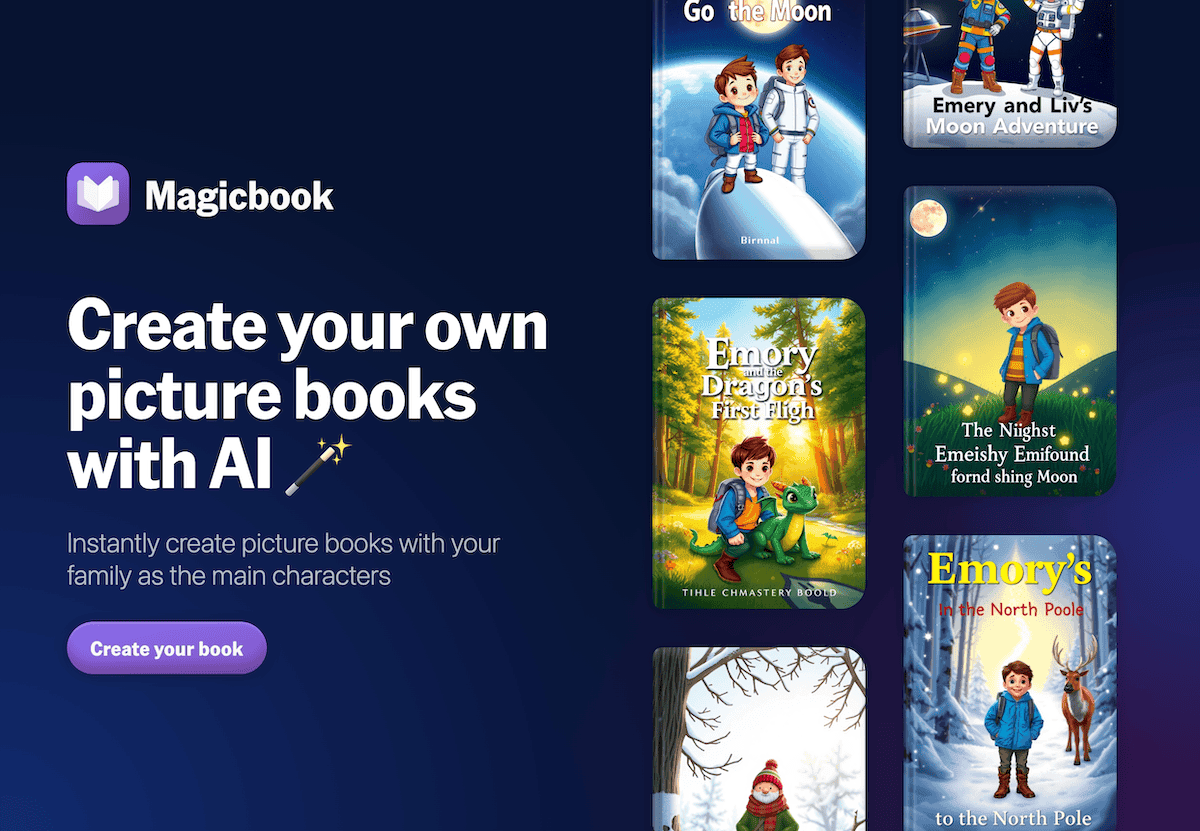
6. Suno AI – Ritualizing Change and Closure
Even the best curriculum needs rhythm—marking pivots, resets, unit launches, and the “made it!” finish line. I let my students crowdsource prompts for Suno ("The Big Pivot Anthem," "Project Panic Recovery Song," “Reflection Anthem 2.0”), and Suno delivers custom music we play at transitions or closeouts. The magic isn’t just the break in routine: it’s the sense that curriculum-building itself can be a tradition, not just a template. Students want to contribute new prompts, and every unit ends with the kind of closure that feels intentional—even if you changed course midstream.
Try Suno AI
Honest Survival Tips for the Reluctant Curriculum Designer
- Begin with one tool at your greatest bottleneck—mapping, scaffolding, student voice, or publishable artifacts—and layer from there. Don’t try to streamline all at once.
- Treat every map, sequence, or project plan as a draft—editable by you AND your students. The best curricula never live in the “final” folder; they’re alive as long as you’re teaching them.
- Archive the process, not just the product. Use Gamma, Notebook LM, and Jungle feedback decks to keep evidence of student thinking close.
- Make closure count. Celebrate pivots, not just completions—every class that helps design your curriculum should feel like founding partners, not passengers.
- Ditch any AI that boxes you in. If you find yourself clicking more, tweaking less, or feeling less like a teacher, move on—but with the right stack, you’ll finally have more time to build, revise, and enjoy the creative part of the job.
If you’re a teacher who dreads curriculum review—or has found (or hacked) the workflow that helps you stay authentic and adapt on the fly—drop your story below! Real curriculum isn’t static, and the best tools bend with you.