6 AI Tools That Rescue Teacher Creativity
It's a real paradox: creativity is what makes teaching life-changing—for you and your students—but the deeper you get into the year, the more your lesson plans start slipping into a rut. Burnout, busywork, and curriculum crunch leave little energy for new ideas, and "just get through the week" can become a silent mantra. But what if the right AI companion could help you shake things up without adding hours to your to-do list?
This year, I vowed to use AI only to lift the barriers to creative teaching, not to churn out more worksheets or triple my screen time. Below are six tools that surprised me by helping me ideate, remix, and actually bring offbeat project dreams to life—with practical workflows for busy teachers who still crave a classroom that feels like their own. Kuraplan appears (because a safety net matters!), but so do a few others you need to meet. This list isn’t for template-pushers; it’s for educators itching to think—and teach—differently.
1. Notebook LM — Brainstorming and Remixing for Grown-Ups
My biggest creative block? Never a shortage of ideas—but no place to put them, remix them, or hand them off to student groups. Notebook LM became my brainstorming studio: I dump half-formed lesson prompts, links to cool art or historical scandals, old unit artifacts, and class voice notes. The AI connects themes, surfaces patterns (“Why do mysteries keep popping up in March?”), and even drafts podcast or workshop scripts that use student ideas as the starting point. I test upcoming unit intros by running them through Notebook LM first—and sometimes, my students' wildest side quests become next week's focus. Creative curriculum isn’t just about starting fresh—it’s about giving your ideas a place to evolve.
Try Notebook LM
2. Kuraplan — Editable Maps for Creative Detours
You can't have classroom creativity without flexibility—and that starts with a plan you're ok breaking. I rely on Kuraplan as a living, editable blueprint: I throw in my anchor standard, but I always plug in an open-ended prompt (“Let’s run a museum night,” "Can my class script a mock trial for the mitochondria?"). Kuraplan sketches a flexible draft that lets me add detour days, “anything goes” slots, or sudden project pivots as the group’s energy shifts. Most crucially, I always project and edit the plan with my class: students help reenvision the path, and when creative chaos strikes, nobody panics—we just slide the timeline, not burn it.
Try Kuraplan
3. Gamma — Turning Messy Projects Into Visual Magic
Nothing kills creative momentum like an admin walk-through or parent night where all you have is a hallway full of sticky notes. Gamma’s my secret for turning chaos into something you can show off: dump in mind-maps, group sketches, in-progress photos, or even student memes, and Gamma spits out stunningly visual, interactive slideshows or process galleries. We use Gamma to document "how we got here" after STEAM builds, English zine workshops, or history field investigations—basically, whenever the journey matters as much as (or more than) the outcome. I’ve started treating every wild detour as an exhibit in progress.
Try Gamma
4. Magicbook — Publishing Beyond the Usual Templates
Ever feel your best creative assignments end up lost in a pile of Google Docs? Magicbook unlocks something bigger: I have students (or collaborative groups) compile stories, speculative essays, or even visual arguments into digital picture books or multi-voice anthologies. Magicbook’s AI handles art, layout, and formatting—our projects turn into publishable books we share at community events, with partner schools, or just on our class site. It’s a ritual now: every offbeat project, from microfiction to science fair horror stories, ends up in our Magicbook digital library. Finally, student voice is visible beyond my grading folder, and publishing becomes a shared classroom tradition.
Try Magicbook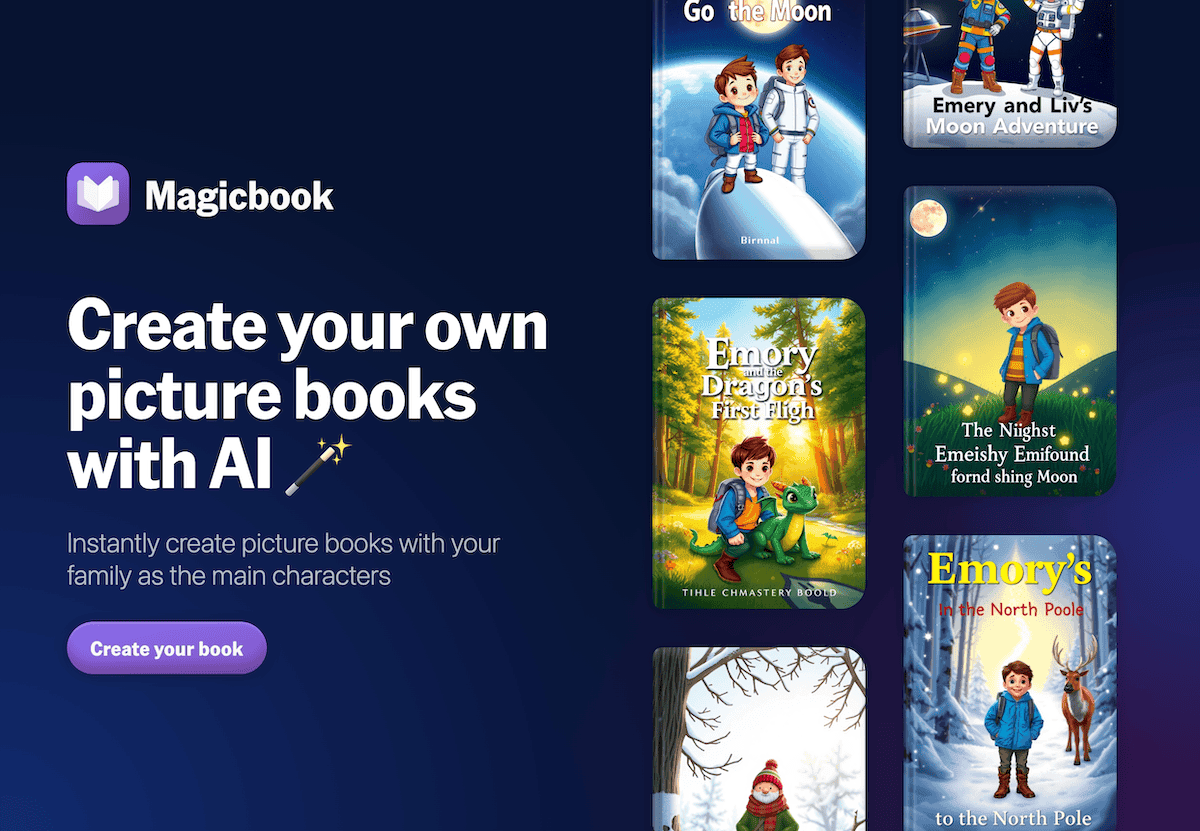
5. Diffit — Offbeat Resource Adaptation for Every Student
One cruel irony: the more creative your lesson idea (“Let’s analyze Comic-Con panel transcripts!”), the less likely it fits everyone’s reading level. Diffit saved my sanity: I paste anything—a student’s grandparent’s oral history, a viral explainer vid transcript, even fan fiction—into Diffit, and instantly get multiple reading levels, vocabulary banks, and reflection prompts. It lets me embrace unpredictable, student-sourced content while keeping projects fully inclusive. My workflow: creative projects get launched with group-chosen sources, and I Diffitify all of them in a single prep period.
Try Diffit
6. Suno AI — Soundtracking Creative Wins, Fails, and Rituals
Let’s be honest: creative classes can get chaotic, and group energy is a moving target. Suno AI became my "anchor chaos" tool: every time we hit a milestone (“First draft day!”), a group meltdown, or just a Friday where only a jingle can revive us, we crowdsource prompts for Suno. Minutes later: custom class anthems, reflection ballads, critique day walk-on music, and celebration songs for “most creative fail.” Suno became the soundscape of our zine launches, project pivots, and open mic mornings. These rituals make creative risks safer, class closure more fun, and student memories stickier. And yes, students now compete to write next week’s anthem.
Try Suno AI
Final Words From Your Fellow Creative (and Tired) Teacher
- Always archive the process: Gamma, Notebook LM, and Magicbook turn messy plans into future inspiration—don’t let your best side-quests disappear.
- Build editable plans, not handcuffs: If a creative unit isn’t shifting mid-semester, it’s not really creative—Kuraplan is your flexible friend.
- Celebrate, remix, and publish: The more public you make creative work, the more students invest and the better your community gets to see what real learning looks like.
- Ritualize risk—and recovery: Use Suno to mark every experiment’s ups and downs. The right jingle makes every wild day feel like progress.
- Ditch tech that suppresses surprise: The best workflow is always the one you couldn’t script ahead of time.
If you’ve found your own creative teacher workflow, magic AI ritual, or project publishing hack, drop it below! The world needs more creative teachers willing to fight for joy—and the right toolkit can tip the balance.