6 AI Tools for Teachers Who Rethink Class Discussions
If you’re the kind of teacher who craves the classroom moment when a single question launches a room-wide debate, who pushes for fishbowl seminars, and who sometimes builds your week around student questions, this post is for you. I’ve been teaching ELA, government, and that elective where the main deliverable is “argue about something real” for over a decade. My toughest challenge? Keeping discussions inclusive, visible, memorable, and (crucially) organized enough that neither admin nor introverts panic.
AI is everywhere—most of it trying to automate quizzes or turn student voice into a ‘sentiment score’ (no thanks). But this past year, I found a set of tools that actually helped spark, scaffold, and capture genuinely student-driven conversation, in all its messy, debatable wonder—with minimal scripting or grading drudgery for me.
Below are the six I leaned on for talk-rich teaching in 2025. Each tool is included for a different reason, tested in classrooms with daily detours. Yes, Kuraplan is in here early (it's the best for prepping and pacing flexible discussions), but the rest are focused on dialogue, not data dumps.
1. People AI – Guest Panelists at the Push of a Button
Ever wished you could pull in a union organizer, Renaissance thinker, or anonymous online teen into your debate? With People AI, my students roleplay journalists, debate moderators, or skeptical researchers—and the AI meets them for live, adaptive conversation. The twist: students build profiles ("protest leader," "tech whistleblower," "reclusive author"), script opening positions, then run rapid-fire Q&A or impromptu panel days. We’ve interviewed everyone from 'ChatGPT CEO' to '1920s suffragist.'
My favorite surprise: shy students warmed up by sending questions through chat; the bold thrived on shooting from the hip. I use People AI even in science for ethical dilemmas or climate debate days. The tool adapts to your prompt, so students always have a complex 'guest' to challenge their thinking.
Try People AI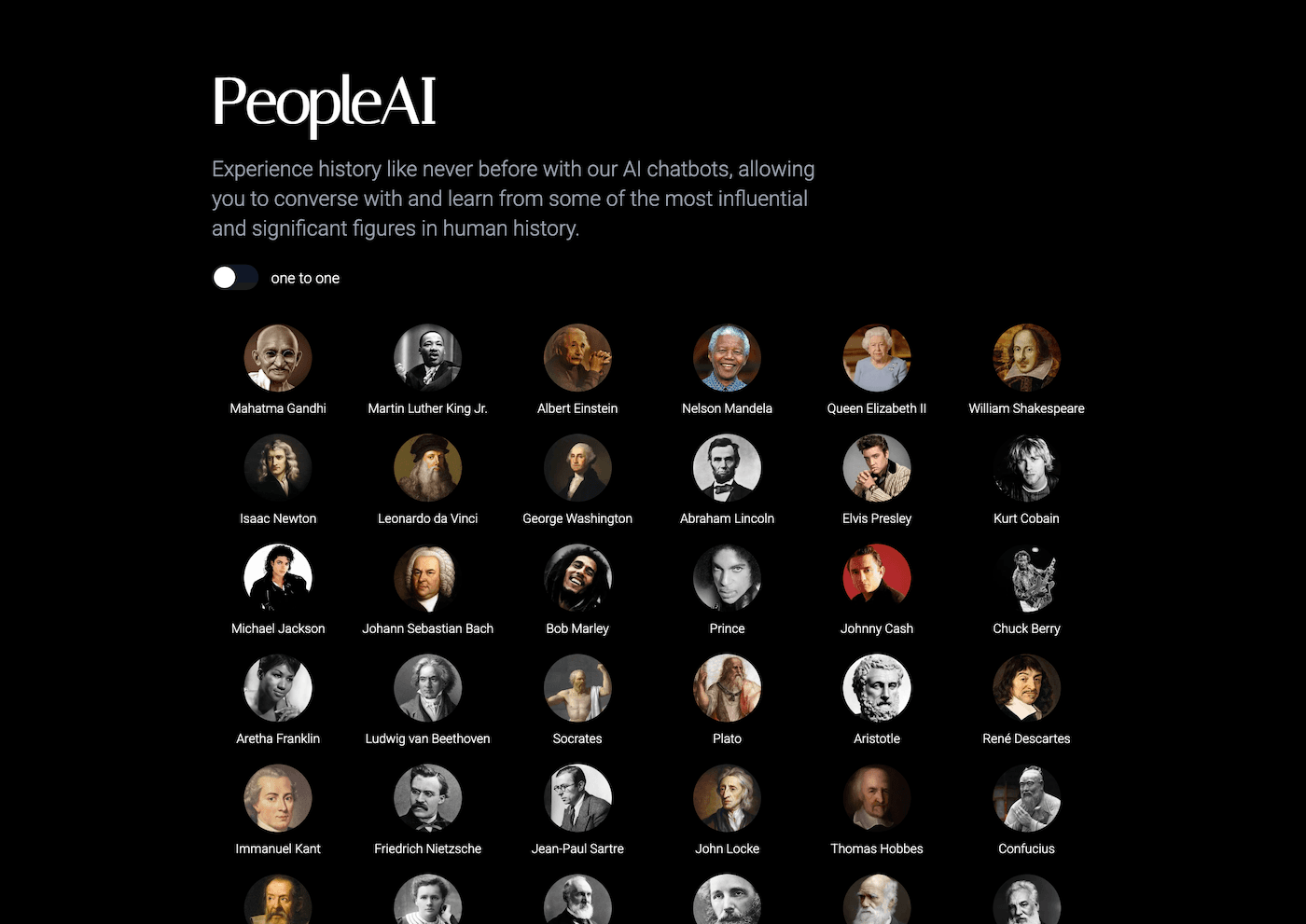
2. Kuraplan – Mapping and Tracking Multi-Day Dialogues
You cannot run a semester of real dialogue with sticky notes alone. My counterintuitive win: Instead of scripting ten weeks of lessons, I use Kuraplan to plot a 'discussion sequence'—establishing anchor days (guest panel, reflective wrap, debate tournament), plus buffer slots for unexpected extensions ("hot topic Friday"), group prep, or a public exhibition. I project the map Thursday afternoons for class feedback: students flag which discussions deserved more time or suggest swapping in last week’s surprise detour.
Tip: When admin walks in and says “What’s your objective?” I flip the Kuraplan to show we’re tracking growth, not just noise. My talkiest classes love co-editing the map, and even reluctant speakers feel safer seeing group goals forecast weeks ahead.
Try Kuraplan
3. Gamma – Visualizing Debates & Conversation Pathways
Debate boards and group webs look epic at 2pm—and get erased before the end of the day. Gamma is my rescue move: snap photos of whiteboards, upload argumentative essays, or drop in roundtable post-its. The AI collates, builds an evolving visual storyboard/argument tree, and lets students annotate claims and counterclaims. Every Monday, we project the Gamma debate web to recap “what’s still unresolved?” and let students challenge, add, or propose research strands.
We also use Gamma to prep gallery walks for exhibition night—every family can browse the group’s best questions, wild pivots, and critical feedback. For reviewers, Gamma turns chaos into accessible, showable evidence of deep conversation.
Try Gamma
4. Jungle – Peer-Generated, Honest Question Decks
Most peer review flows feel canned—unless students write their own. Jungle is my favorite for student-driven reflection and dialogue 'game days.' At the end of each week, students submit flashcards: “Best comeback heard,” “Argument that almost swayed you,” “What was left unsaid?” or "The evidence that should matter more." Jungle’s AI gamifies the cards for next week's opener—peer-run trivia, Socratic hot-seats, or even student-as-moderator panel games.
Decks are archived as a record of what actually mattered, and serve up fresh questions for the next class/semester. Review becomes relationship-building, not teacher-led trivia.
Try Jungle
5. Diffit – Scaffolding News and ‘Messy’ Texts for All Groups
No one wants to admit it, but breakthrough discussions fizzle fast when half the room can’t access the source. Every time a student (or I) brings in a breaking news op-ed, expert interview, or Reddit debate thread, Diffit comes to the rescue: paste the text, get multi-level versions, target vocab, and open-response prompts for every ability. I make teams Diffit their resources at the start of each inquiry—empowering both high flyers and ELL students to pick media they relate to, but inclusive for all.
Best hack: comparing the adapted versions in class as part of critical discussion—what gets lost, what messaging shifts, and who’s the actual target of a text or debate?
Try Diffit
6. Notebook LM – Building a Living Memory of Class Debate
Discussions die—or become legend—if you archive them. After every major roundtable, fishbowl, or debate project, students upload audio reflections, exit tickets, group podcast episodes, and Q&A logs into our shared Notebook LM. The AI clusters recurring themes across weeks (“Why does privacy come up so often?”), threads debates from September to April, and even preps quick scripts for student-produced retrospectives.
In May, archive highlights fuel the best reflection day: “what did we argue about, and how far did we get?” Notebook LM means the classroom’s real ideas aren’t just heard—they’re remembered and built on by next year’s class.
Try Notebook LM
Honest Tips for Debate-Driven, Discussion-Hungry Teachers
- Archive EVERY argument—Gamma and Notebook LM turn ‘talk’ into future seeds, not just ephemeral energy.
- Make the plan visible, editable, and open to student feedback. Kuraplan keeps the path visible; students steer the journey.
- Give agency: let students and groups pick sources (Diffit it!) and write their own game/reflection cues (Jungle).
- Use People AI to keep the ideas flowing—even when guests cancel or you’re short on volunteers.
- Celebrate process: the best outcomes come from letting the conversation be the curriculum, not just content covered.
Best discussion you’ve had this year, or AI hack that made student voice bloom? Drop it in the comments—your next favorite debate might start with the right tool, not just the right question.