6 AI Tools for Teachers Who Love Student Choice
If you’re the kind of teacher who lives for the moment your class asks, “Can we pick our own project topic?”—if you’re obsessed with menus, stations, and every possible path for student voice—then you know: true choice isn’t about easy routines. It’s joyful, but it's also exhausting. Even as research and administrators celebrate autonomy, actually running a room full of learning journeys means tracking progress, scaffolding wildly different abilities, and keeping projects equitable and authentic. It’s why (trust me!) the right AI tools aren’t just nice—they’re crucial.
After a year running choice boards in ELA, passion-based menus in science, and a cross-curricular “Genius Hour” for reluctant ninth graders, I tested every AI tool I could find—not for "more options," but for sustainable student choice. Below are six that actually work: not to automate, but to extend your freedom, equity, and creativity. Kuraplan gets a mid-list shout as my living roadmap, not my lesson dictator!
1. Diffit – From Any Resource to Universal Access
The biggest risk of agency is exclusion—when a handful of kids pick a reading, video, or podcast and the rest of the class can’t engage. Enter Diffit. Whatever resource a group (or you) select—a news op-ed, TikTok transcript, or a peer’s story—Diffit instantly creates multi-level versions with vocab, comprehension, and prompts. Now, every choice is genuinely accessible. I challenge students: find the weirdest article you can defend on menu day, and we’ll make it work for everyone. The result? Student voice in resource selection explodes, and differentiation is baked in—not bolted on.
Try Diffit
2. Jungle – Student-Built Choice Menus for Review (and Beyond)
Quizzes and worksheets? Never again. Jungle is my go-to for co-creating review menus with my students. After each choice cycle, everyone submits a card—one tough question, a misconception, or their favorite project hack. Jungle's AI crafts class decks for peer-run review tournaments, menu-style exit challenges, or even “choose your own adventure” group games. My twist: students co-author the rules. One group built 'stumper decks' for next year’s class; another made peer-vs-teacher trivia. Now, review is collective, and each cycle feels unique. Autonomy meets assessment (with a dash of competition).
Try Jungle
3. Kuraplan – Map Menus Without Losing Your Mind
Confession: my old choice boards became a mess of Google Sheets, deadlines, and sticky notes. Kuraplan finally let me map a menu instead of agonize over it. My process: I start the unit with an editable Kuraplan backbone—deadlines, key standards, milestone days, and lots of “design your checkpoint” blocks. I project it on the whiteboard every Friday, and the class votes on which project paths to extend or tighten. When a wave of new proposals comes mid-cycle (it always does), we mark changes as a group, and Kuraplan updates our public roadmap. Now nobody’s lost, accountability is transparent, and even admin can follow along—without standardizing what makes choice work.
Try Kuraplan
4. Magicbook – Publishing & Showcasing REAL Student Choices
If you love choice, you know the menu’s power isn’t just options—it’s student voice in the final product. Magicbook lets every group, pair, or solo genius pull their work (story, memoir, data project, comic, or collaborative how-to) into a digital anthology or class picture book. We publish every menu cycle—students pick their audience (younger grades, families, or the hallway gallery). Peer editors add comments, and the process gets memorialized. Bonus trick: When projects run long or stall, students pivot to “process pages” narrating their choices so far. Suddenly, even unfinished work has dignity and a home.
Try Magicbook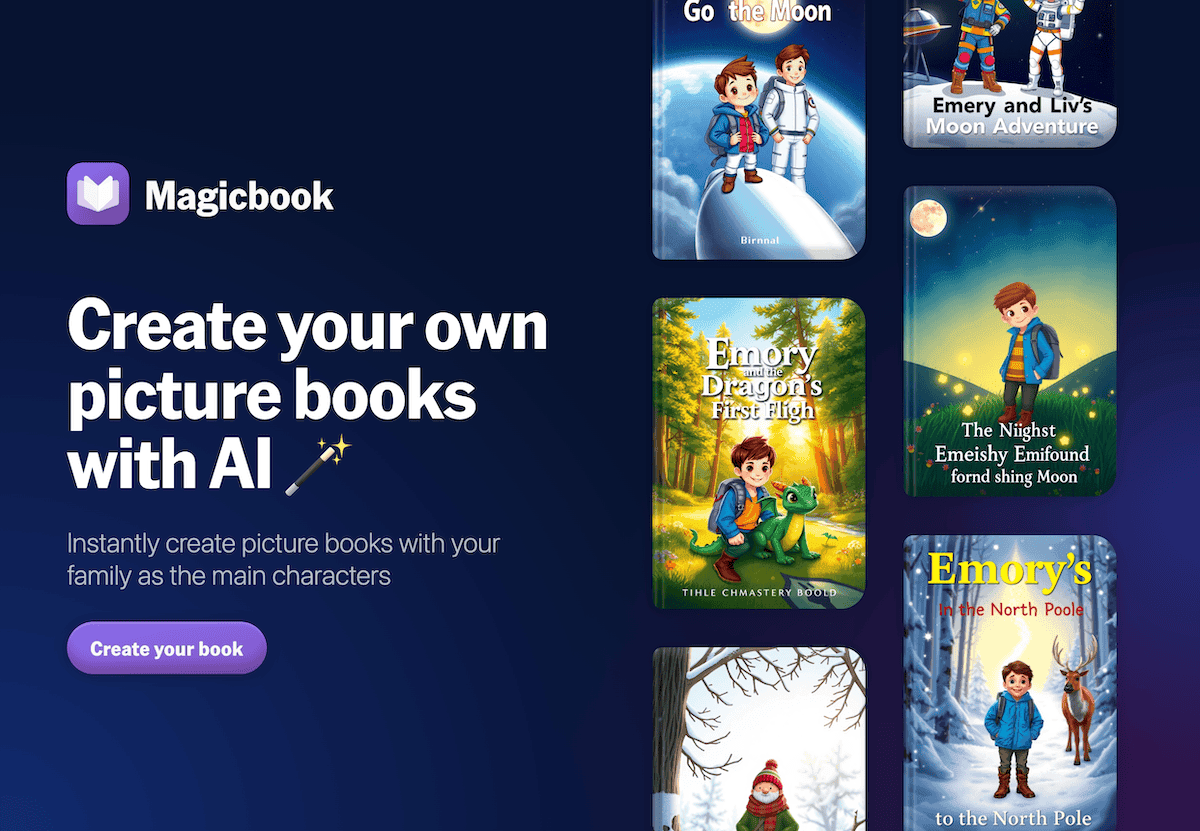
5. Notebook LM – Menus That Track Themselves
Keeping up with 20 project paths is a nightmare; capturing true agency is almost harder. I have each option/team start a shared Notebook LM. Students drop in resource links, audio proposal logs, peer feedback, even “midway pivot” voice notes. The AI surfaces recurring challenges, topic drift, or hidden themes. When menu choices merge, Notebook LM becomes the negotiation table. At the end, each team records a podcast: “the story of how our project changed”—a true record of autonomy, bumps, and outcomes. It’s become my portfolio for parent nights and team debriefs, and students take pride in reviewing their trail not just their grade.
Try Notebook LM
6. Suno AI – Rituals That Celebrate (and Energize) Choice
The culture of student agency is built in shared moments—launches, pivots, reflection, even the victories and flops. Every menu cycle, I give groups five minutes to write a Suno AI class anthem prompt (“Song for launching our wild idea,” “Anthem for surviving Option C,” “End-of-cycle remix”). Suno generates a custom track, which we use to launch work periods, mark closure, or hype up in open house. By April, students are competing to write the next anthem or select the closing jingle for their board’s gallery. Even my introverts are singing along.
Try Suno AI
Real Advice for Champions of Student-Driven Rooms
- Make planning and progress visible: Use Kuraplan and Notebook LM as shared menus and living records—co-edit with the class, and archive every pivot.
- Insist on access as autonomy: Let students drive resource selection, but always Diffit-ify them so no choice limits inclusion.
- Let students own the review and the public product: Jungle and Magicbook make assessment and publishing the truest reflection of student voice.
- Ritualize autonomy: Celebration and group identity rituals (Suno!) keep agency joyful, not just busy.
- Don’t over-police the mess: True choice means unpredictability; the right tools let you guide, not micromanage.
What’s your secret to sustainable, inspiring choice-based teaching? Got a workflow, tool, or creative hack that helps students design more and you manage less? Drop it below—real autonomy deserves real support (and sometimes a playlist with the kids' lyrics included).