6 AI Tools for Teachers Who Embrace Student Presentations
If you live for that months-end buzz—groups huddled over laptops, impromptu slide debates, last-minute video tweaks—and wish more of your teaching revolved around student voice, this post is for you. As someone who’s built my whole classroom on projects, showcases, and student-led teaching days (across 8th grade ELA, freshman bio, and an arts elective that barely fit in the master schedule), I know the joy—and the absolute chaos—of the classroom presentation season.
But here’s the real talk: behind every standing ovation is a stressed-out teacher managing tech, coaching slide design basics, wrangling rubrics, and trying to give meaningful feedback before report cards are due. Most AI tools push easier grading or another worksheet—but the right stack can actually raise the bar, supercharge students’ process, and shift presentations from anxiety to authentic learning.
Below are 6 tools (with honest workflow hacks, caveats, and celebration rituals) that turned presentation weeks from pure panic into genuinely shared classroom moments. Yes,
Try Kuraplan
is here (not at #1), but only because its editable roadmap kept my group launches—and parents—on the same page. The others are all creative allies that surprised even this presentation nerd!
1. Gamma – Instant Visual Magic (No Design Degree Required)
Nothing stops a presentation project faster than the dread of Google Slides formatting—or the kid who spends three days choosing a font. Gamma changed my workflow: I let students rough-draft notes, upload images, or even snap whiteboard sketches, and Gamma spins them into a polished, interactive slide deck in minutes. Instead of design panic, my groups focus on argument, story, or data—and get to experiment with layouts and visuals without a six-hour detour on transitions. This tool is my in-class guardian angel when 20 projects are due next week and nobody wants another standardized slide show.
Try Gamma
2. Kuraplan – The Only Roadmap I Let Groups Edit
Project-based teachers don’t want rigidity, but presentation weeks can swallow us whole without a shared plan. I use Kuraplan as a living collaborative timeline: I draft checkpoints (topic approval, resource due date, rough draft, peer review, final show), then let groups hack and reorder the sequence. Students themselves highlight deadlines, debate practice day order, even add extra peer feedback points if needed. After we publish a master plan, parents can see pacing, students take more ownership, and—crucially—workflow bottlenecks disappear. When someone wants to pivot last-second, I just adjust the map and all my materials (including feedback sheets, see below) update instantly.
Try Kuraplan3. Fliki – Turning Outlines Into Watchable Video Explainers
I’ve always had students dabble in video, but editing ate too much class time (and caused too many tech disasters). Now, when a group wants to flip their final deliverable—"Can our science project be a documentary?"—I let them draft a short script and plug it into Fliki. The AI turns dry outlines (or even bullet points) into narrated, visually interesting explainer videos that work as a stand-alone presentation, a class preview, or a showcase artifact. Best lesson: reluctant presenters feel safe with voiceovers, and we open showcase nights with a gallery of Fliki-made trailers… instant engagement, and every style of learner finds a way to shine.
Try Fliki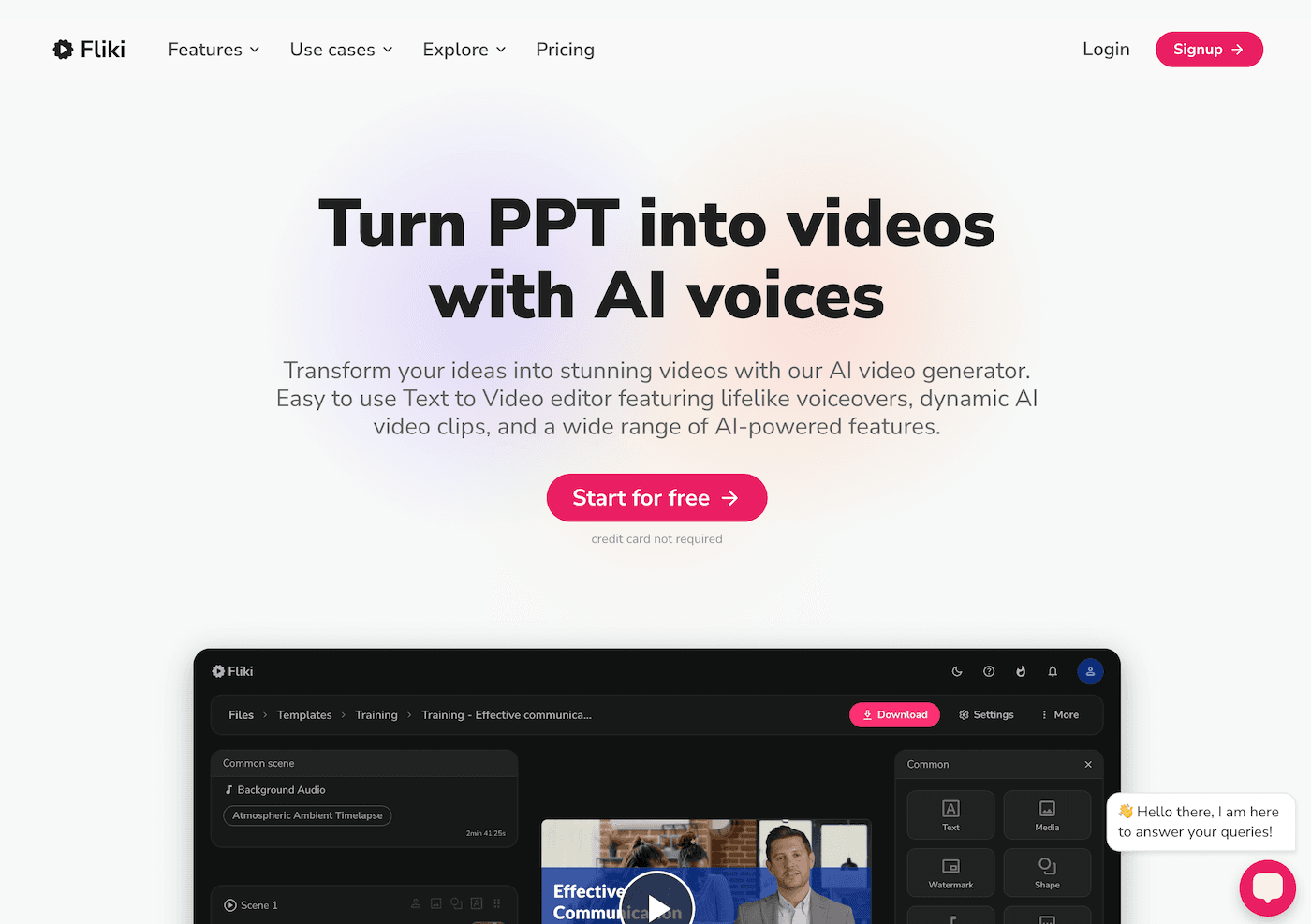
4. Jungle – Student-Built Peer Feedback Decks
Traditional rubrics feel top-down, and "two stars, one wish" gets tired fast. After every round of practice runs, my students submit reflection cards through Jungle—one question to ask the group, one quick critique for the presenter, one big-picture takeaway. Jungle assembles peer feedback decks for live review games, coaching rounds, or post-presentation reflection. The win? Instead of generic “Nice job!” slips, we build a shared vocabulary of improvement (and inside jokes) unique to each class. I save these decks for the next round—students level up, and error patterns don’t get lost between years.
Try Jungle
5. Notebook LM – Archiving Evolution, Not Just Finals
The learning in presentations always happens before the big day—but how do you capture it? Now, every group keeps a Notebook LM file: voice memos after rehearsal, revised slide decks, teacher notes, audience questions, even last-minute script edits. The AI links recurring themes, suggests reflection prompts (“How did your main point change after the Q&A?”), and generates a post-show podcast script. Final week, I let teams record their podcast as a meta-presentation—"Here’s what we learned, what failed, what we’d do differently." Not only is this gold for assessment, it reassures anxious students: the process is worth as much as the presentation.
Try Notebook LM
6. Suno AI – Presentation Rituals, Reflection, and Celebration (Without Awkwardness)
Class culture is built on rituals. After every round of presentations (especially when nerves run high or tech goes sideways), my groups submit a prompt to Suno: “Anthem for the team who bombed their slides,” "Victory Lap for Museum Night," or even “Song for Surviving the Q&A.” Suno instantly generates class anthems for entry, celebration, or reflection. Now, every showcase wraps with a new class song—some silly, some way too catchy. Rituals replace nerves, and students look forward to presenting just to debut their “team track.” It turns the hard stuff into shared memory—and the class leaves proud, regardless of the grade.
Try Suno AI
Teacher-to-Teacher Tips for Next Presentation Season
- Scaffold process, not just product: Use Kuraplan for map-making students can edit, and Gamma or Fliki to preview (and remix!) deliverable formats.
- Build feedback into the DNA of the project: Jungle decks and Notebook LM podcasts capture student thinking the rubric never will.
- Make every round visible: Share Gamma slides or Suno anthems with families—presentation week should feel like a community achievement, not just a grade.
- Celebrate “failure” as a group: Use Suno or Jungle rituals to make the awkward launches into the learning moment itself.
If you’re a risk-friendly teacher who thrives on student voice, group chaos, and the magic that happens at the front of the room, try one workflow from this list for your next round. And if you have a favorite tool, feedback ritual, or best (or worst!) presentation story from the AI era—drop it below. Authentic presentations are harder, but with the right AI stack, they finally feel sustainable—and joyful—in 2025.